 StackBio
Apple Watch · Tennis
The score tells you who won. Matchpoint tells you how.
One tap on your Apple Watch after each point records whether you won or lost it, and whether you were at the net or the baseline.
Coming soon to the App Store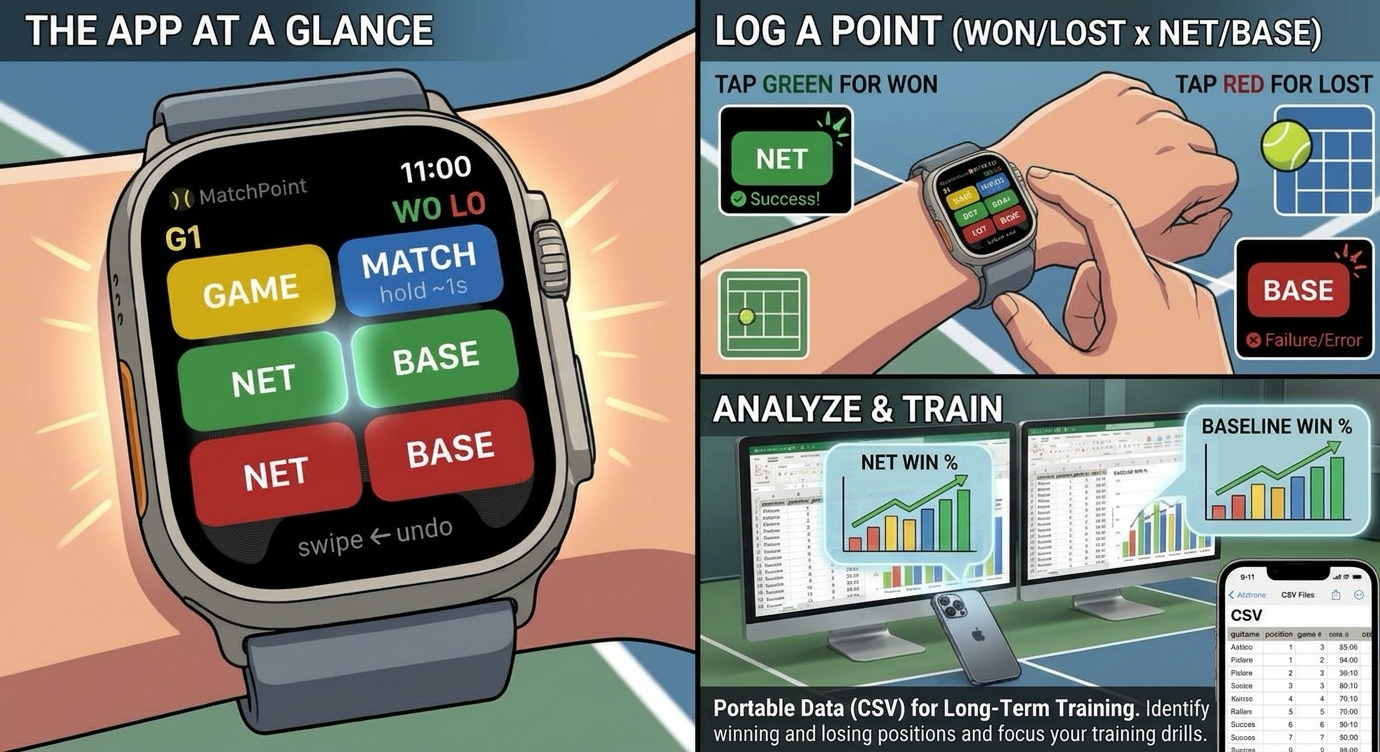
Why it exists
Train what actually loses you points.
Every tennis app on the watch keeps score, but you already remember the score. What you can't remember after two sets is how the points were won and lost.
How it works
Six buttons. Net on the left, baseline on the right.
The watch shows six buttons, with the same colours used throughout the stats.
Tap after each point
Green row if you won it, red row if you lost it. A quick glance between points is plenty.
Tap GAME
After the last point of each game. It groups your points by game, so you can see which games went wrong and how.
Swipe left to undo
Fix a mistake, even a few points back. Each swipe undoes one more step.
Hold MATCH to finish
A one-second hold, so it never ends by accident. Every tap is saved as you go.
What you'll learn
Four numbers that point to your next drill.
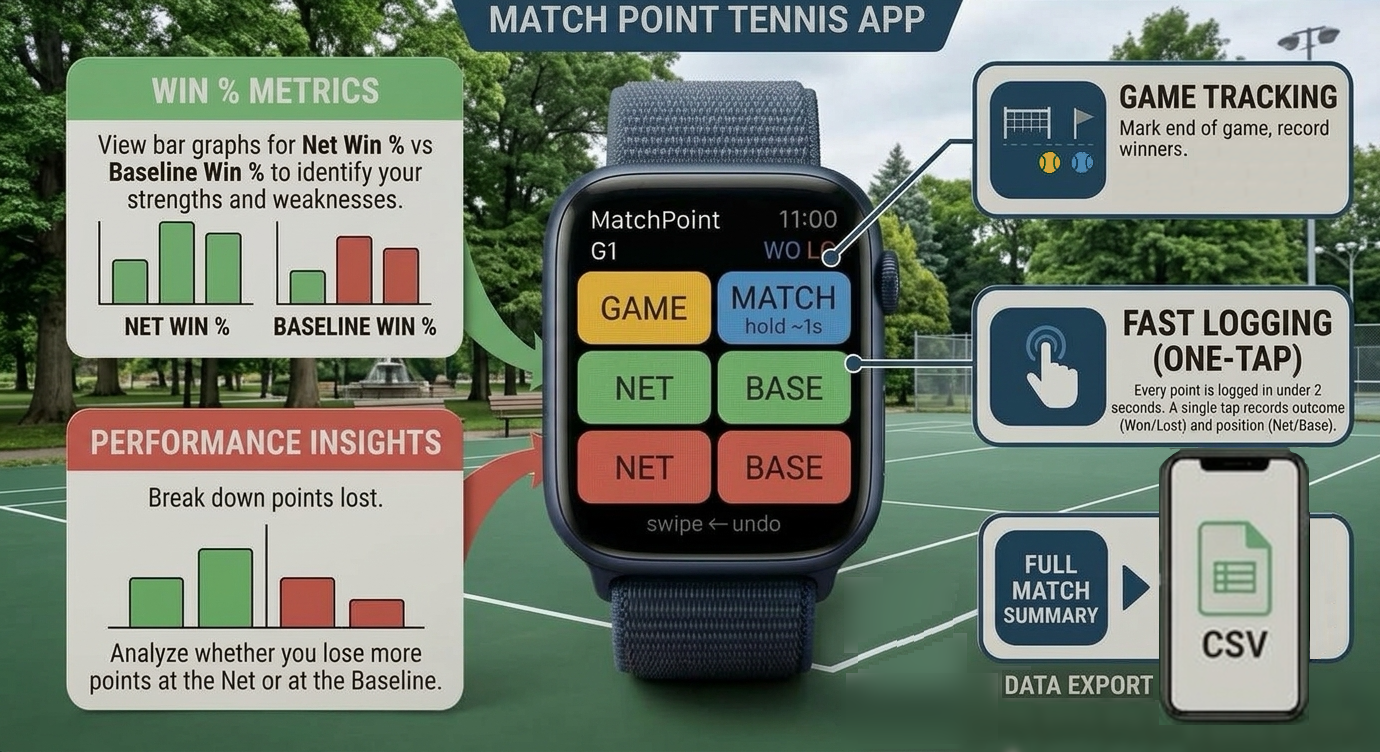
How well your net game works when you use it.
How well your baseline game holds up.
How often your points end with you at the net.
Whether most of your lost points come at the net or the baseline.
High net win % but rarely at the net? Come forward more. Losing most points from the baseline? Drill consistency. Low net win %? Work on approaches and volleys first.
On your iPhone
From taps on the watch to a training plan.
Your points sync to the iPhone app, which charts every match and turns the numbers into recommendations for what to practise next.
1 · Summary
See every match charted
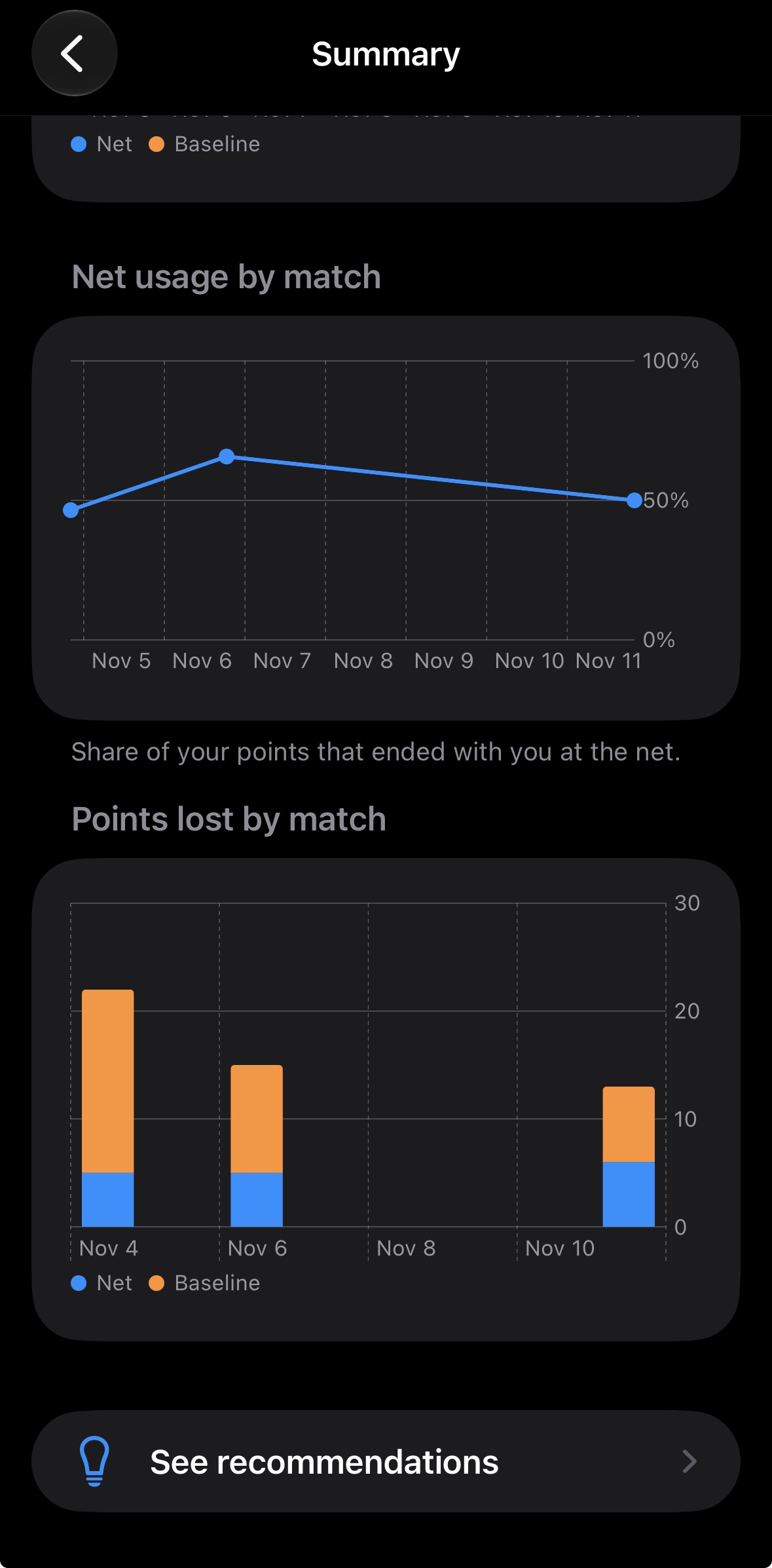
Net usage shows how often your points end with you at the net. Points lost splits each match's lost points into net (blue) and baseline (orange), so you can spot where the damage comes from.
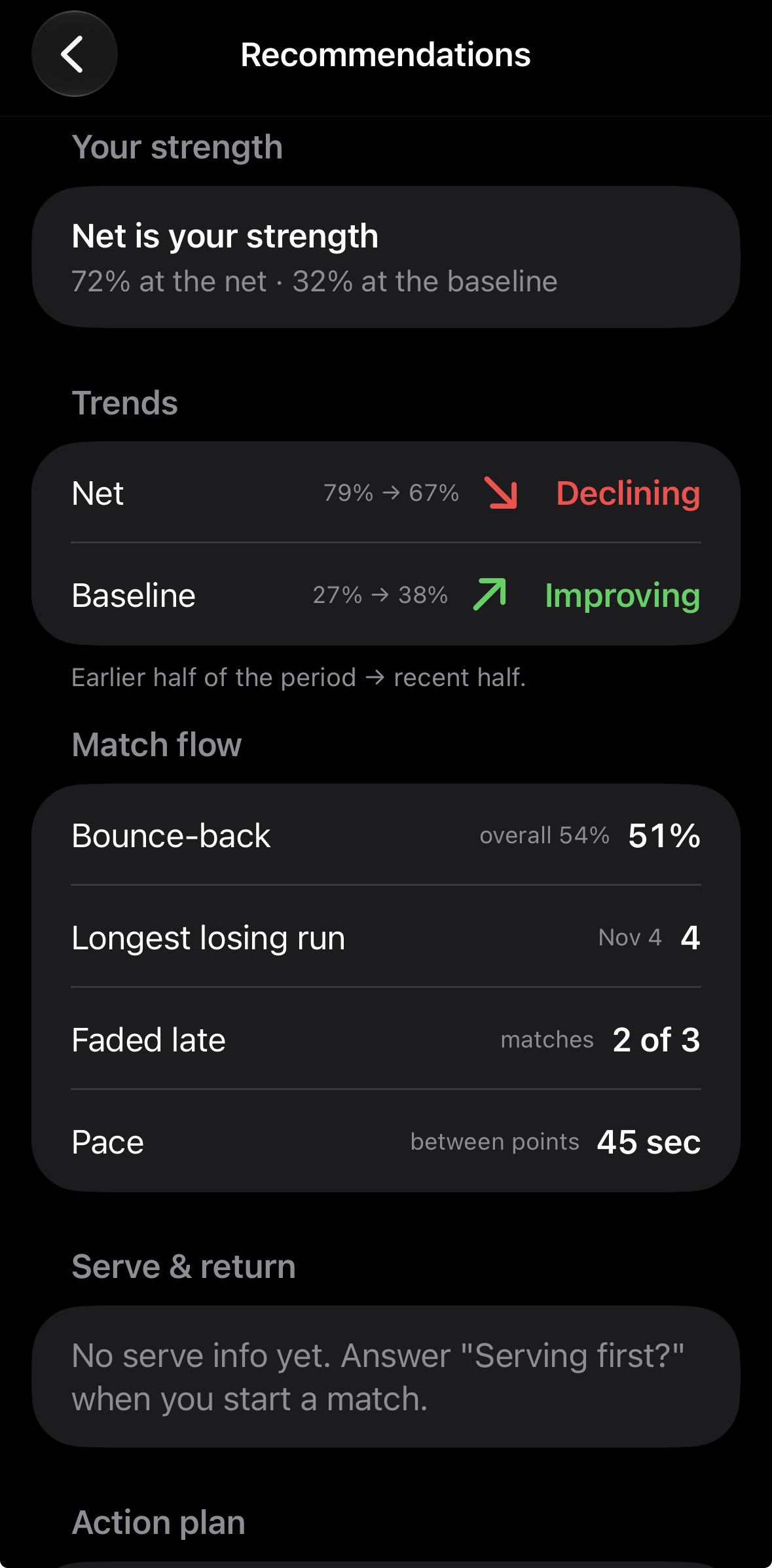
2 · Recommendations
Know your strength and your trends
Matchpoint names your stronger side, shows whether your net and baseline win % are improving or declining, and reads the flow of your matches: how you bounce back after losing a point, your longest losing run, whether you fade late, and your pace between points.
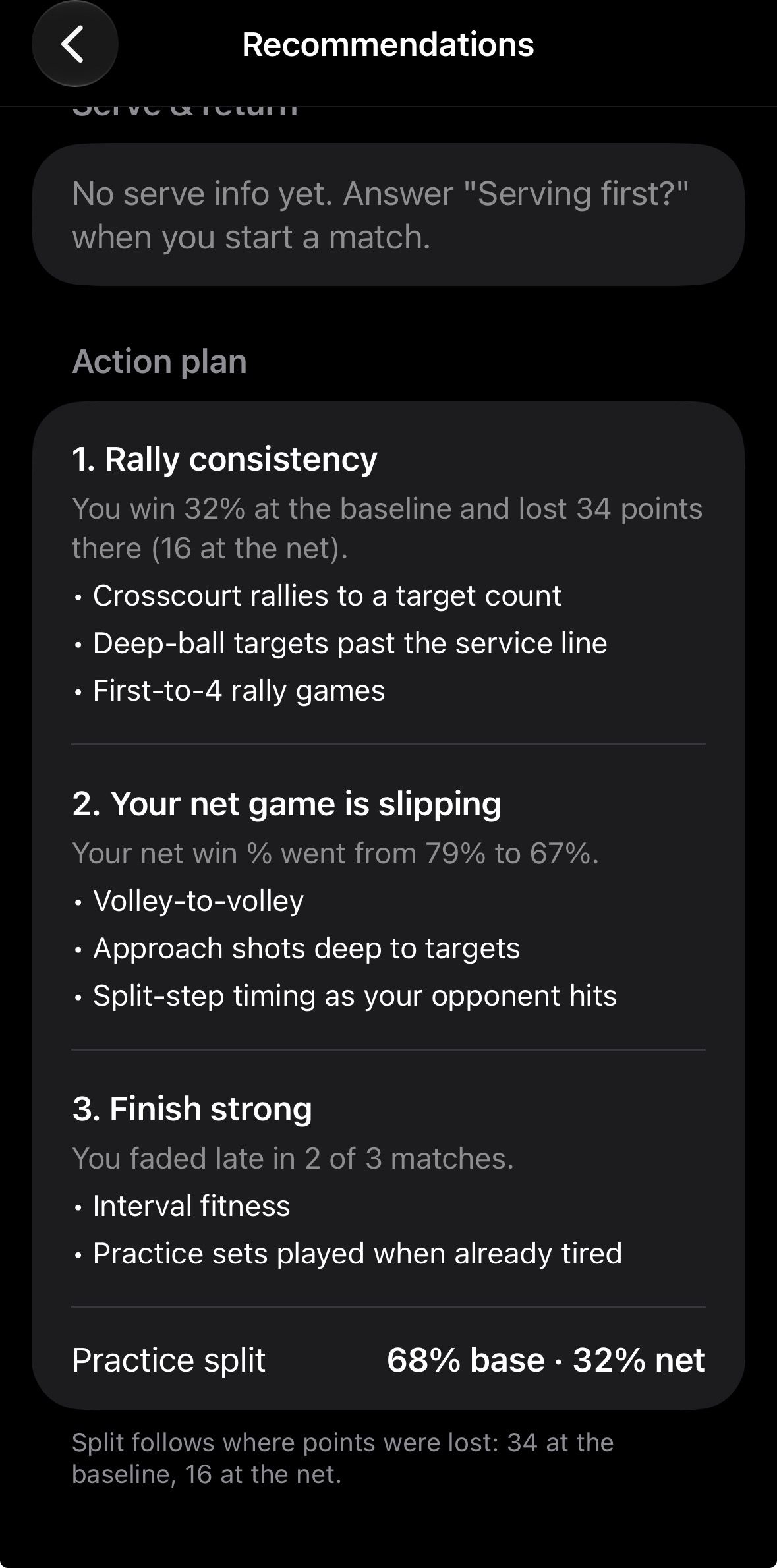
3 · Action plan
Get drills for what to fix first
Your top priorities, ranked, each with the numbers behind it and specific drills. A suggested practice split divides your time between baseline and net based on where you lost points.
Actual app screens, shown with sample match data. Your own numbers, trends and drills will reflect your matches.
Your data
Your data stays yours.
On your devices
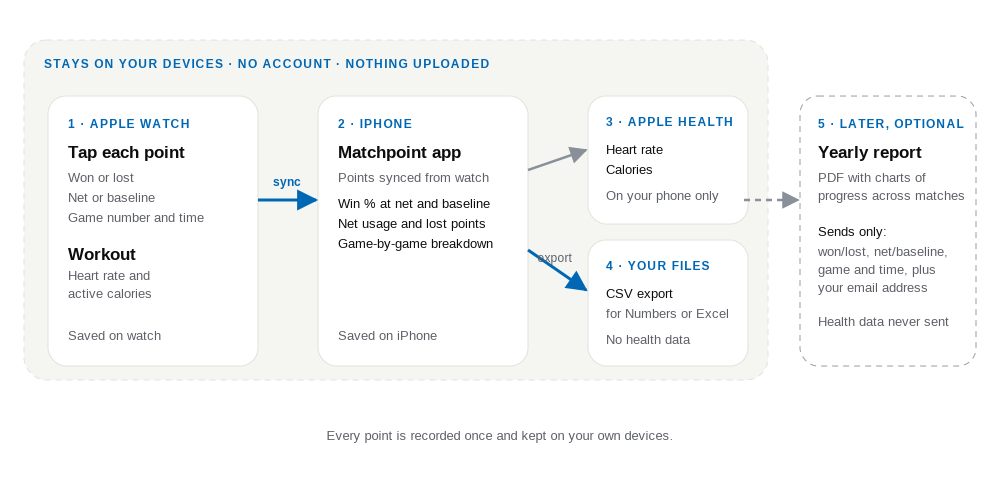
Matches are saved on your watch and iPhone. No account needed.
Health data stays put
Heart rate and calories are saved to Apple Health and never leave your phone.
Export anytime
Export your matches as spreadsheet files (CSV) to analyze in Numbers or Excel.
Pricing
Free to track.
Free to track your matches and see your stats.
Coming later: an optional yearly report with charts of your progress across all your matches, delivered as a PDF.
Privacy policy
How Matchpoint handles your data.
Last updated: November 17, 2026
What Matchpoint records
For each point: whether you won or lost it, whether you were at the net or the baseline, the game number and the time. During a match, the app runs a tennis workout and reads your heart rate and active calories from Apple Health.
Where it's stored
On your Apple Watch and iPhone. Workouts are saved to Apple Health on your device. Matchpoint has no accounts and does not upload your data.
Apple Health data
Heart rate and calories are only shown in your match summary. They are never sent off your device, shared or used for advertising.
If you request a report (optional, coming later)
Only your match stats (won/lost, net/baseline, game, time) and the email address to send the report to are sent. Health data is never included. Payment is handled by Apple; we never see your payment details.
Contact
Questions about privacy: support@stackbio.net.